Widgets
MAI device supports widgets—special screens embedded in workflows that enable fast and intuitive user interactions. Widgets sreamline operations by allowing back-of-hand data entry. Common use cases include entering quantities using a numeric keypad or roller widgets.
Alphanumeric keyboards should be used only when alternatives—such as scanning a login badge or job ticket—aren’t available, as text input is less efficient on small displays.
Note
Widgets are designed for landscape mode to ensure a consistent user-friendly experience, regardless of the device's orientation.
The widget library will continue to expand based on customer feedback and evolving needs.
NumPad
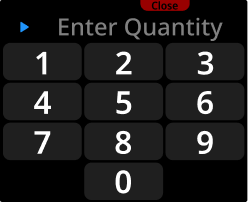 | Provides a numeric keypad for entering quantities, codes, or other numerical values. Optimized for touch input with large, easy-to-press buttons. |
NumWheel
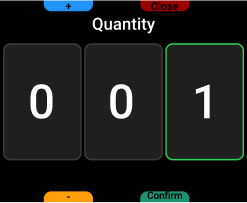 | Allows users to change a number, such as article quantity. Can be used to enter or change text content. Physical buttons adjust values by one per press. Touch input lets users directly edit any field. |
Keyboard
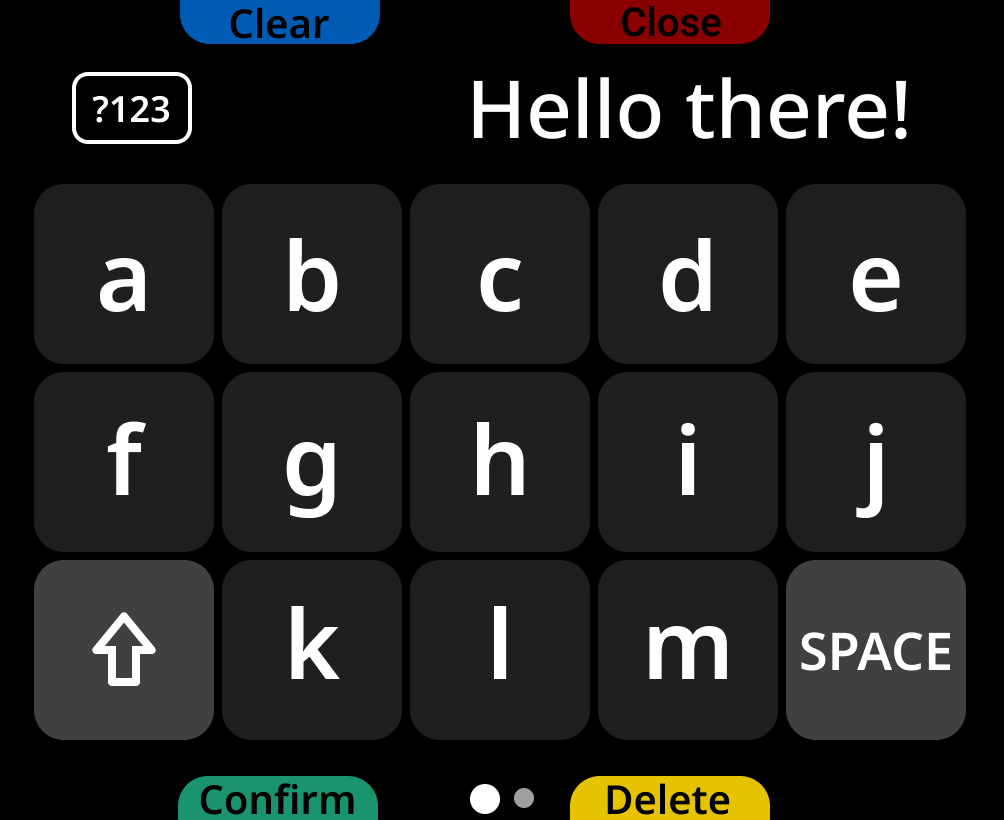 | Lets users type text and numbers, such as a worker ID at login or a serial number from a damaged label. Letters are split across two pages.
|