Set orientation using a barcode
offers three screen orientation options (Portrait, Left, and Right) to allow workers to optimize their daily workflow.
Note
The set orientation remains active until the scanner is re-inserted into the charger or rebooted. Every time a scanner reconnects to a , the default orientation is Portrait.
To change the orientation:
Pair your scanner with your .
Scan the desired barcode from the table below:
MARK Display orientation | Barcode |
|---|---|
Portrait | 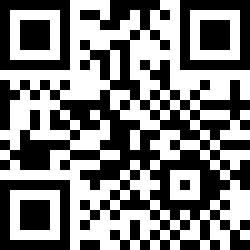 |
Right | 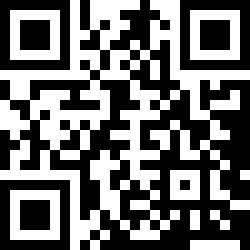 |
Left | 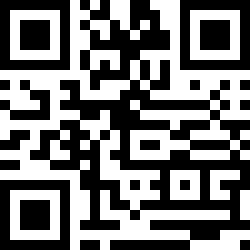 |