Settings
The Settings allow you to configure your device to fit into your shop floor environment.
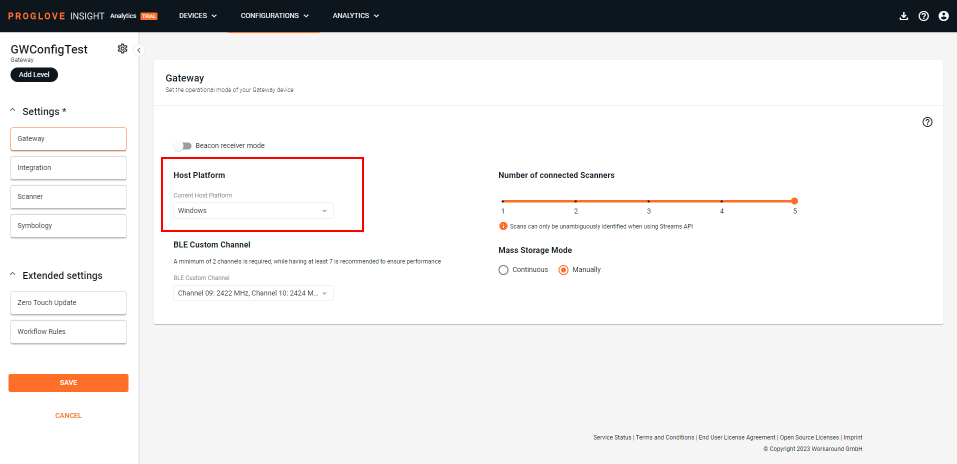
Host platform
This drop-down menu allows you to select your device's Current Host Platform, i.e. operating system. Windows and Linux are supported and Windows is selected by default.
Scanner Connectivity
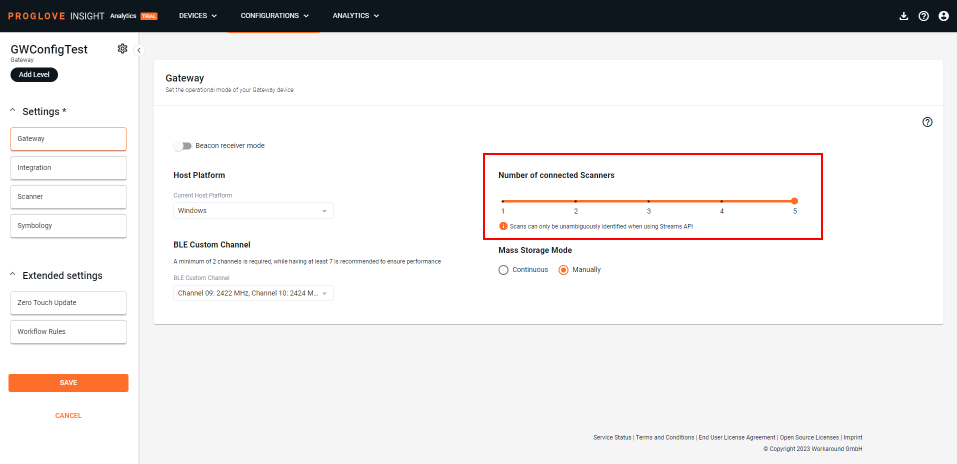
The Number of connected scanners setting allows you to set the number of scanners you can connect to one device (maximum 5 is set as default).
BLE Custom Channel
Any connected to a with a custom channel configuration defined in the configuration file, will use the specified channels to communicate with the .
The dropdown menu contains thirteen (13) available data channels and their frequencies (in MHz). In order to comply with the Bluetooth specification, the 3 advertisement channels 37, 38 and 39 cannot be deactivated by design, and they are all selected by default. A minimum of 2 data channels need to be selected from the list, but we recommend using at least 7 channels for reliable communication between and .
The following custom channel configuration sets are tested and compliant according to Radio and EMC-related standards:
10, 22, 34-36
10, 22-27
9, 10, 21, 27, 28
0, 20, 36
1, 18, 36
2, 6
5, 20, 35
16, 30
17, 18, 19
30, 32
0-36
Mass Storage Mode
The Mass Storage Mode settings offer two mass storage behaviors:
Continuous - every time a is reconnected to a desktop, it automatically displays as a Mass storage device
Manually - every time a is reconnected to a desktop, it needs to be enabled as a Mass storage device manually
To enable your as a Mass storage device manually, connect a scanner to the and scan the barcode below: