Introduction
helps maintain operational discipline by ensuring scanners remain within predefined work zones. If a scanner exits its assigned area, the device automatically triggers an alert—guiding the user back and supporting consistent process adherence, safety, and asset oversight.
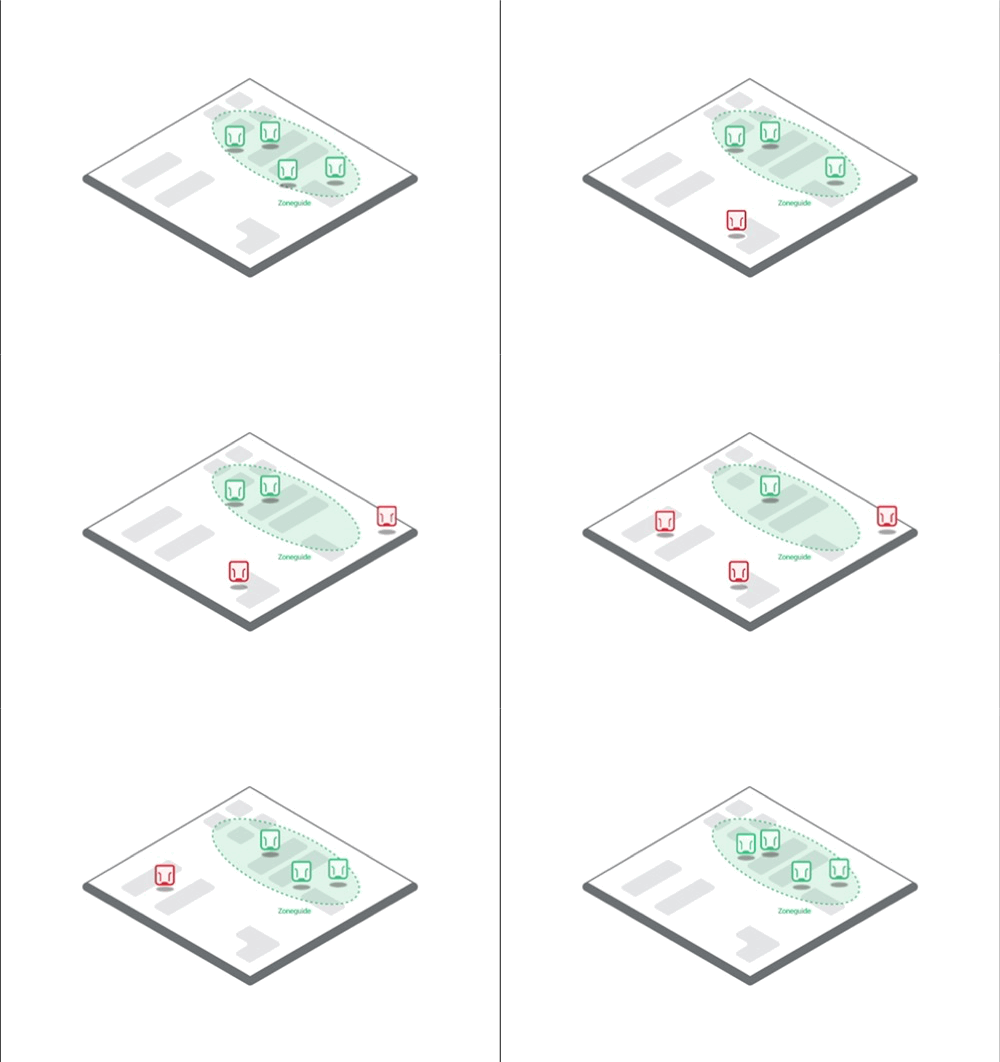
Setup
Follow the instructions below in order to setup the
Configure the or to act as a
Configure the out of range alert
Tip
is currently limited and only functions as intended when the is not actively connected to the Connectivity Device that is setup as a or any other Connectivity Device.
Configure the Connectivity Device as a Zoneguide
Create a configuration for the or and give the configuration a meaningful name.
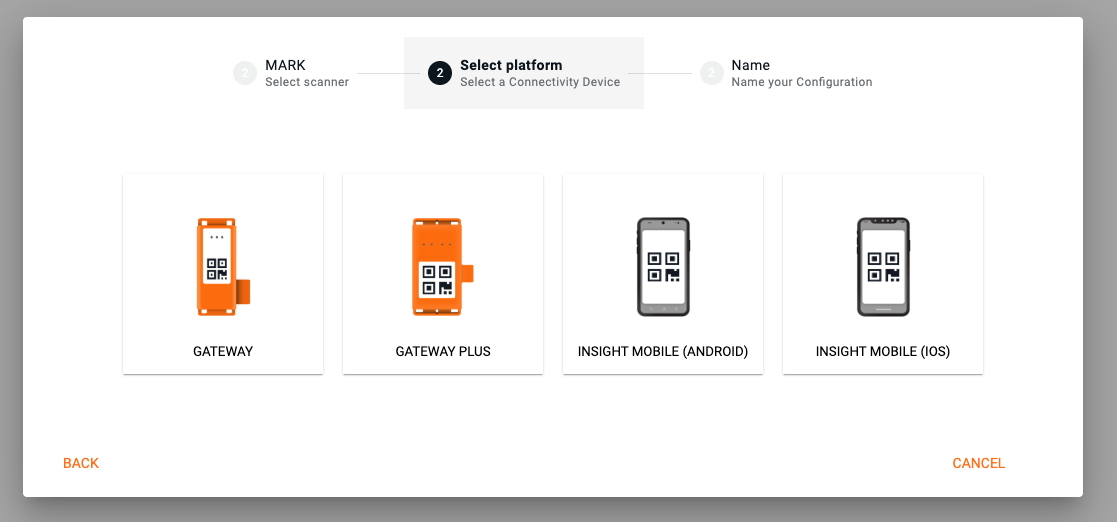
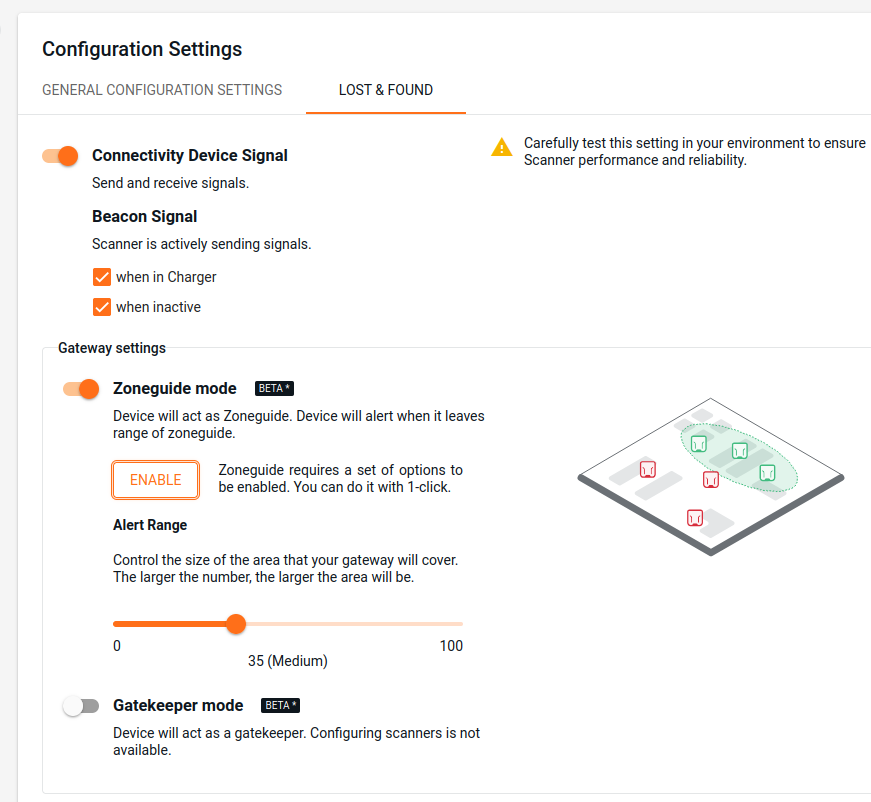
Click on the Gear icon and choose the tab.

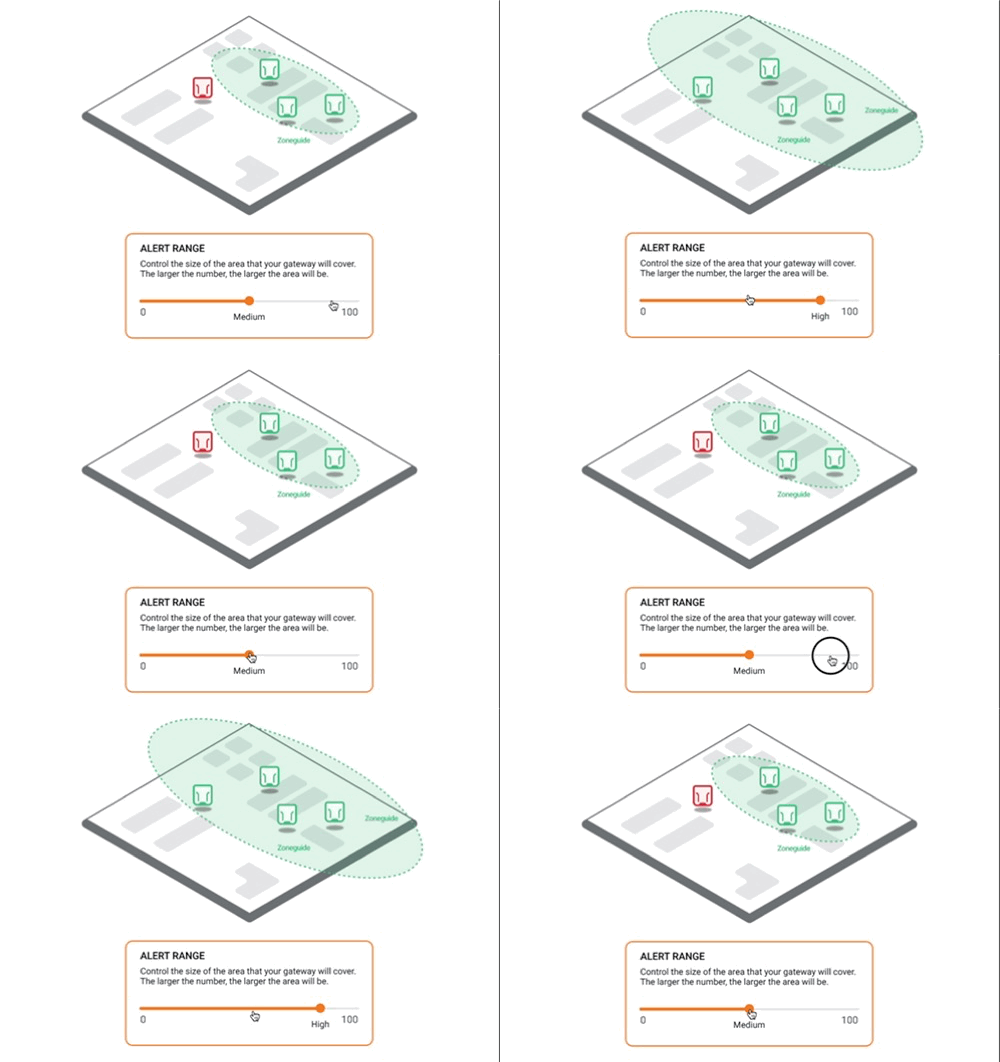
Enable the mode and adjust the alert range. The alert range setting determines how far a can move from the before the alert is triggered.
Note
Low: must be very close to the to stay in the zone.
High: can move farther away from the while still being considered "in zone."
Because environmental factors (e.g., layout, interference) can affect performance, we recommend determining the optimal alert range through on-site testing. During testing, make sure to reset the device by placing it back into the charger while it is well out of range of the Gatekeeper device. This ensures accurate measurement of the alert behavior under real-world conditions.
Click ENABLE to activate all necessary functions for the to operate correctly.
Configure the out of range alert
In the current configuration, scroll to out of range alert and enable it.
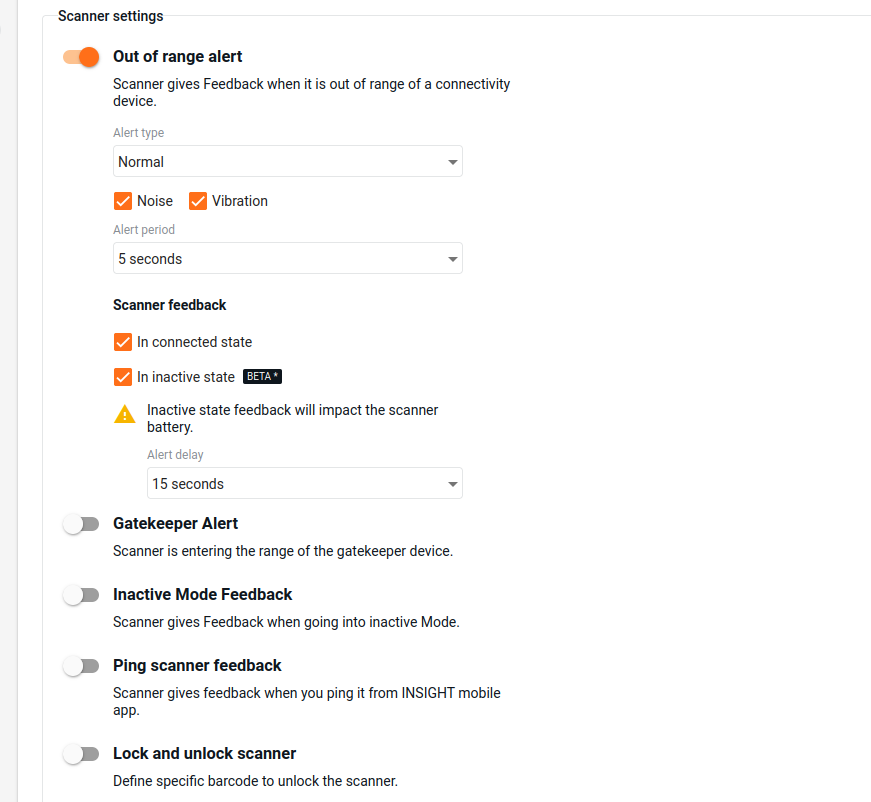
Alert Types: Select normal or loud audio feedback.
Noise: Enable so that the emits a loud beeping sound.
Vibration: Enable so that the s vibrates.
Alert period: Select between 3, 5 and 10 seconds.
Scanner Feedback
In connected state: The provides out of range alerts upon leaving the designated zone only if it is connected to a Connectivity Device (one that is not configured as a )
In inactive state: The provides out of range alerts when it is not connected to any Connectivity Device. This allows the functionality to operate independently of an active connection.
Alert delay: Choose with which delay the alert starts.
Additional Information
Devices and firmware | Subscription plan | Lifecycle status | Resources |
|---|---|---|---|
, , - 2.20.0 , - 1.12.0 - 2.16.1 | , |